Showing posts with label LEGO City. Show all posts

Saturday, 23 February 2019

Custom LEGO Modern Metroliner Passenger Train


One set I loved as a child was my 4558 Metroliner 9V set. I actually don't remember what happened to it, but today I'm showing off a modernized version of it that will service my City's middle loop.


My layout doesn't have any 9V compatible tracks so rather than buy the original again (at today's crazy prices) and butcher up such a classic set with Power Functions, I went with making a more modern looking version from scratch as more of a tribute. The major change aesthetically is the swap from old light grey to black and now the main locomotive no longer houses any passengers.

Primary locomotive, passenger car,
passenger luggage car, secondary control cab

I went with a passenger-less primary control locomotive. The idea being that the entire area is taken up by motors and electrical systems and other complicated technical train engine stuff.

The passenger car is structurally very similar to the one from the original set but mine has brick built doors that are not functional.

The club car... I mean the combined passenger and luggage car is obviously inspired by the original set 4547 Railroad Club Car, that was sold separately to the Metroliner. I never owned it myself and I still don't... BUT this is kinda close design wise. I really didn't think sleeping quarters would be required for my use as an inner city train.

The final part is the secondary control cab which can also house a smaller amount of passengers. Where I live nearly all our passenger trains share the control cab and passenger space.

Sunday, 17 February 2019

Custom LEGO Midnight Sapphire Steam Train (Emerald Night)


Next up from the train yard is a custom skinned steam train which uses set 10194 Emerald Night as the base. I've also added various carriage styles and a caboose to keep things different, despite further learning that these are not present on British trains.


Like the Hogwarts Express I chose not to butcher the locomotive too much to fit in Power Functions. I still used the standard method of a large motor in the cab to drive the wheels, but instead of installing the IR Receiver in the boiler, breaking up the smooth lines, I swapped it into the tender where the battery box would usually go to look ugly, covering it with the coal the engine would use to go. The battery box is now in the first carriage which is a combination luggage and passenger car. The only negative is that there is a cable running between all the components. But I feel this is better than sacrificing the look of the brick built models.

Combines luggage and passenger car, perfect
for hiding a power functions battery box

Almost exact copy of the original passenger car.
Substituting in some cheaper window frames and glass.

A caboose that isn't meant to be!

Thursday, 17 January 2019

LEGOLAND Discovery Centre Melbourne - January 2019 Visit


While I have visited the LEGO Store out the front many many times, unfortunately in order to enter the attractions all adults must be accompanied by a child under 17. So with my teenage cousin on board I finally got my chance to glance inside the actual LEGOLAND Discovery Center. The main attraction for me is the Miniland which is a LEGO City modeled on Melbourne and surrounding landmarks and locations. Check out the video for a tour.

I definitely loved checking out Miniland but the rest of the attractions just weren't for me, and in fairness they are aimed more at kids. Miniland alone was probbaly worth the price of admission, at least once, but I don't feel I have a major reason to go back inside the Discovery Centre.

The LEGO Store out the front on the other hand is amazing. Just about every current set is available at RRP unless you are an annual member of the store. The Pick A Brick wall is my favorite and I rarely leave with less than 4 large cups overflowing.

Would I recommend it? As an AFOL, maybe just once to see Miniland. But if you are a parent of children who will ride an play with every attraction on offer I'd say it's a definite and your children will love it.

Checkout their website for more information: melbourne.legolanddiscoverycentre.com.au

Monday, 24 December 2018

Benny's 2018 LEGO Christmas Layout


Originally I wanted to have all my Christmas themed LEGO sets under and around our Christmas tree. I especially liked the idea of the train circling the base of the tree. But with babies and kids around I decided to move everything and make a small and simple LEGO Creator Winter Village layout, separate to the tree, combining the 4 most recent Christmas seasonal sets and some advent calendar goodies.

  • 10249 Winter Toy Shop
  • 10254 Winter Holiday Train
  • 10259 Winter Village Station
  • 10263 Winter Village Fire Station

Before I moved everything from the tree I had made up a quick cargo wagon to hide the Powered Up battery hub and train motor for the Winter Holiday Train because I never liked how the official instructions intend us to butcher the look of the train and tender to make the  Power Functions fit. I tried to make it look like a wrapped present covered in holly. The bonus is I can also just run it around my City layout.

I hope everyone has a safe and happy Christmas.

I'm looking forward to expanding on these ideas for 2019!

Saturday, 16 June 2018

Custom LEGO - Train Rolling Stock


With such a large city train track layout I thought I'd better get some train related stuff rolling on the rails. I made up a few common official LEGO sets but they just don't seem epic enough on their own. Some of the cargo carriers have a decent look to them so I just modified and multiplied them, while also creating some completely custom cars.

7x Open pallet cargo carrier.
 
2x Vehicle transporter.
 
2x Coal car.
 
2x Mining hopper.

Monday, 4 June 2018

Benny's LEGO City Update #2 - Train Track & Ballast


G'day, I want to start this post with a bit of a story.

When I was a child my Opa has several HO scale train layouts. My cousin an I would spend hours and hours making up trains and controlling them around. My Opa was a very talented man and would hand make and paint all the scenery, mountain landscapes, roads and he was especially good at waterfalls and rivers. I always loved my own LEGO train sets as a kid and when I started planning a LEGO city I knew that trains would play a very large roll in it. Here's hoping I have inherited some of Opa's talent and can do justice with my own layout.

The longest stretch of track covers the entire length of the table.

Full curve in place to help line up the ballast.

Plate outline of one of the switch tracks.

Switch tracks were the most complicated to get the under details lined up.
This is where 2 switches almost touch.

Unfinished train yard. The colored plates have no significance,
they were just cheap to buy in bulk and made good filler.

Finishing up the train yard... bags of parts and tracks everywhere... organized chaos.

Extra studs for detail will be added to the inside of the curves.

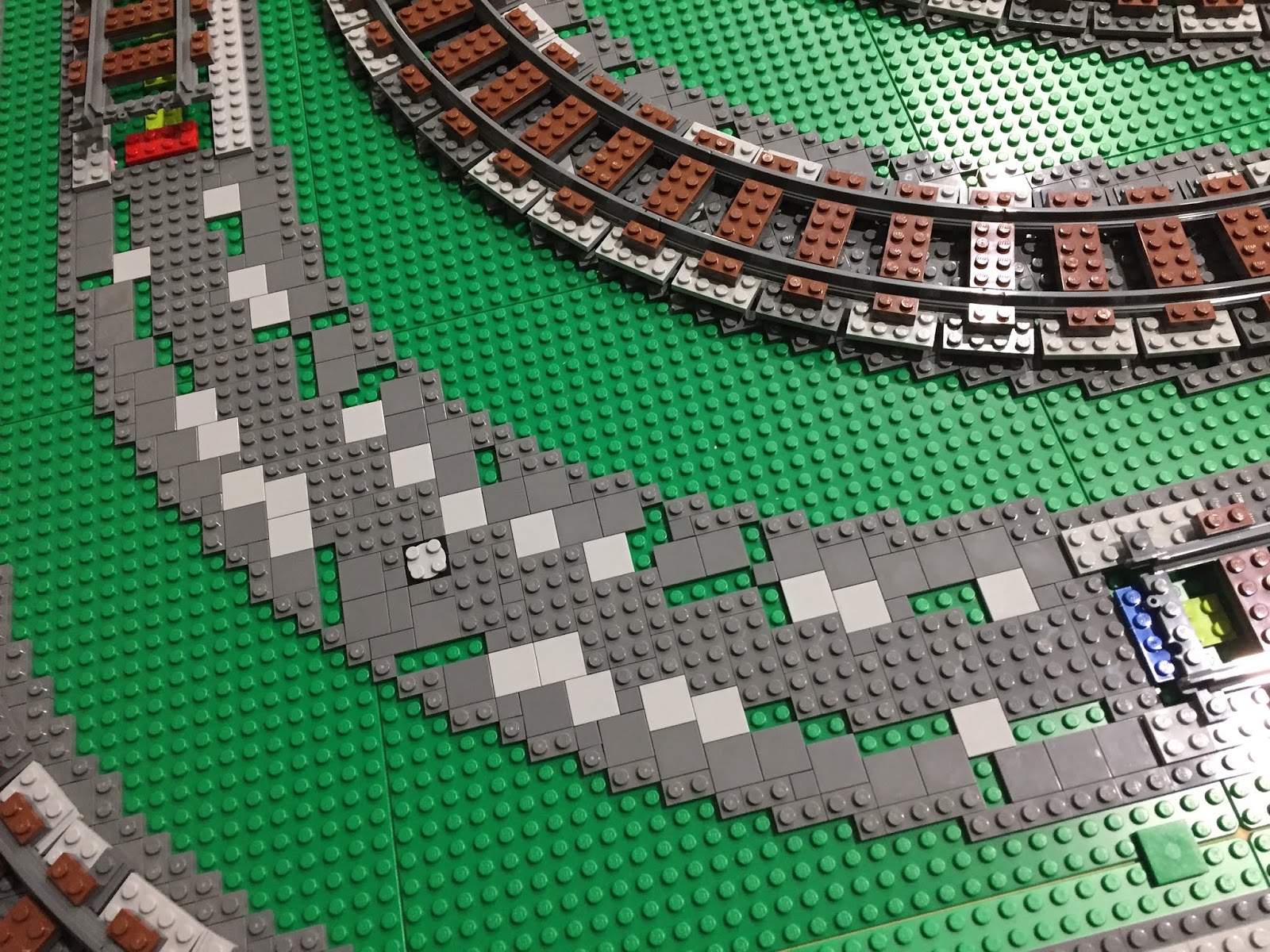
Quite a while ago I was trying out a few designs for the train track look. A popular method is using 1x4 black or brown tiles alternating every other stud, which I think looks amazing. However I decided to go with 2x4 plates in the middle and 1x2 plates on the outside, both in reddish brown, not just to be different but to save me a LOT of money. With so much track on the table it starts to add up fast. The tracks are placed on a double layer of built up grey plates with further layers of smaller detail to be added after the tracks are in. I made some final prototypes before going ahead to be sure I'd be happy with the design.

Straight section prototype.

Curved prototype was very time consuming...

And just some number crunching, this layout is made up of:
  • 433 Straight Tracks
  • 93 Curved Tracks
  • 15 Switch Tracks (8 Right, 7 Left)
  • Over 1500 redish brown 2x4 plates and over 3000 1x2 plates to make up the main sleepers
  • Around 600 light grey modified plates + 1200 cheese slopes for station sleepers
  • Over TEN THOUSAND various grey plates making up the ballast and details
  • So far...
Thanks guys be sure to look at the YouTube Video for a complete dynamic run through of the finished layout. Next up I will be adding in some further details and getting some trains running.

Monday, 7 May 2018

Benny's LEGO City Update #1 - Baseplates


Video Link: Benny's LEGO City Update #1 - Baseplates

G'day all. After a bit of a break due to the birth of my beautiful baby girl, the first progress post for my custom LEGO City is here.

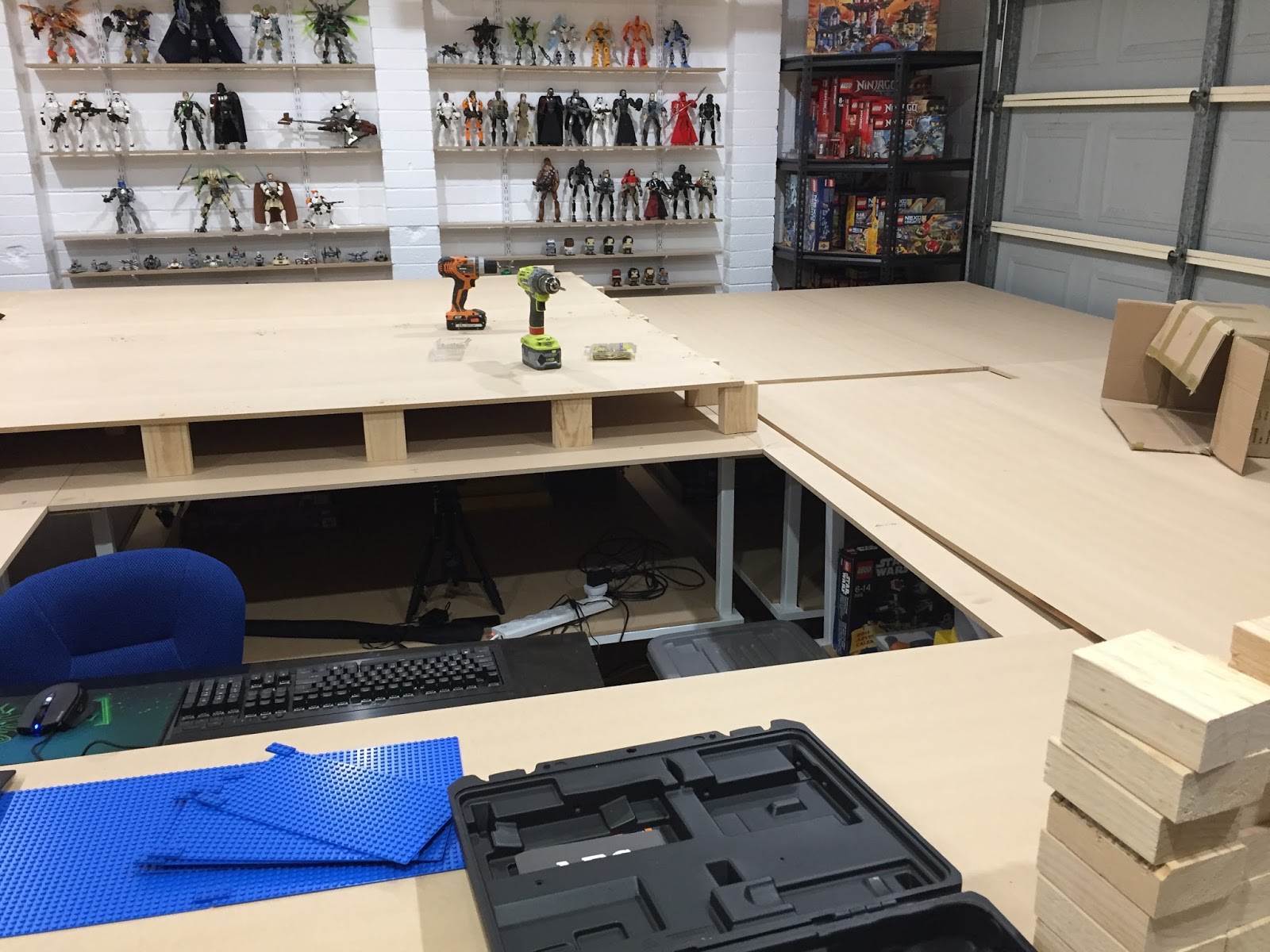
Since I am elevating a majority of the City off the table top height (sea level) I chose to go with a wooden MDF built rise rather than spend an absurd amount of money on LEGO that would never be seen. So with the help of my bro in law Shane, we activated expert master carpenter mode and got into it.


We started straight in this corner and hoped it would all line up at the end as well.

The size of the MDF sheets definitely meant I needed a hand.
    
Working our way around the table.

Plenty of room for subway train lines perhaps?

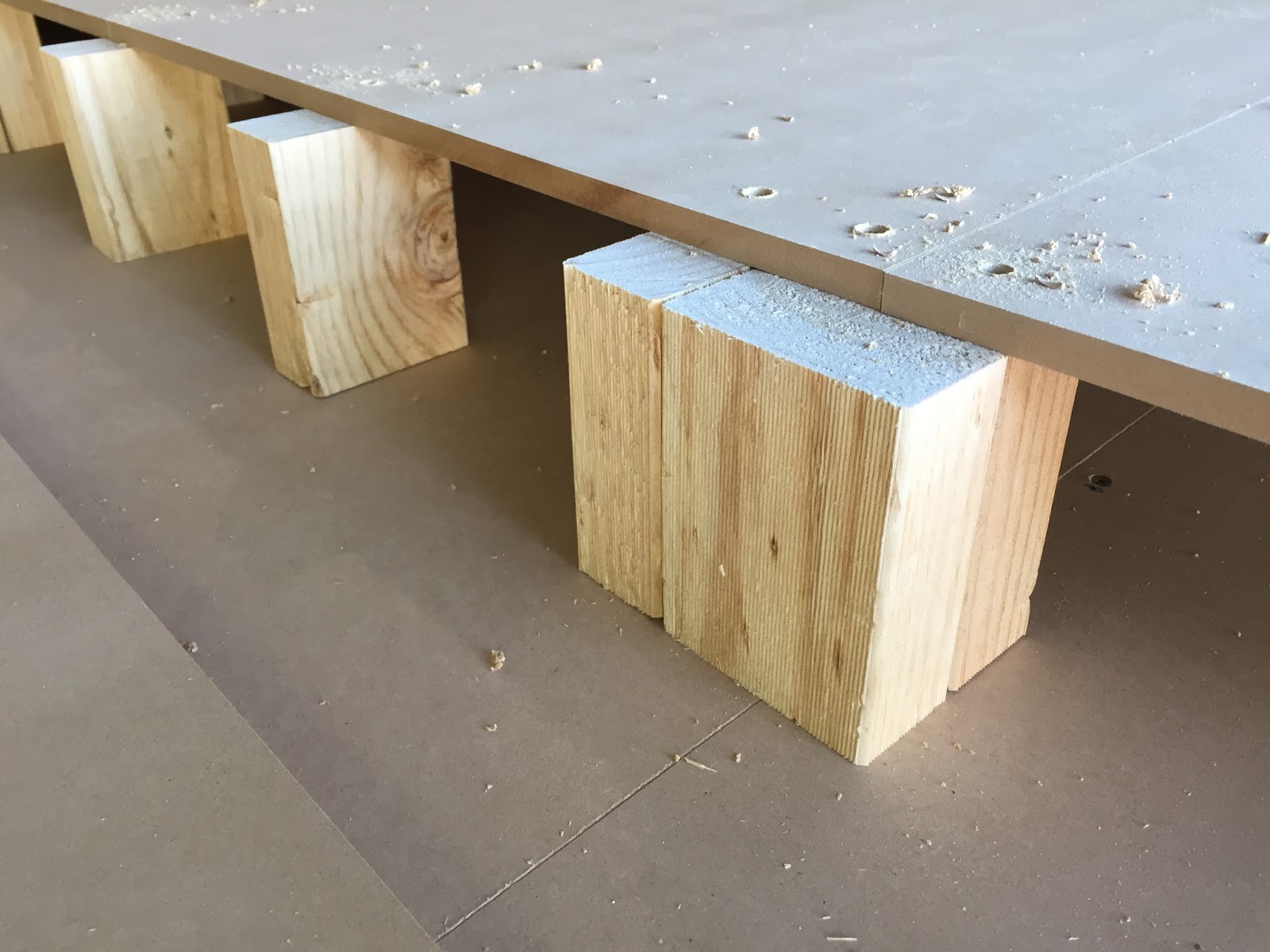
Just over half way through the elevation process We ran out of stumps. It's the same with LEGO parts, always underestimating how fast they get used up. Back to Bunnings for extra timber, and a cheeky Sausage Sizzle never hurts.


Over 100 of these stumps were used.

And then finally some LEGO on the table in the places it's meant to be. Over the past week I used my design on BlueBrick on the TV to lay out all the baseplates.


Time to unpack and spread all this!

I tried my best to have the different colored baseplate zones make sense and represent real world things:
  • Blue = water or ocean
  • Green or Bright Green = grass, paddock or unturned land
  • Tan or Brown = sand or dirt
  • Light Grey = concrete
  • Dark Grey = concrete or tar
In some cases I know there will be other parts covering the baseplate, such as footpath tiling out the front of buildings or sand on the beach.

Have a look at my Video on YouTube to see the completed baseplate layout.

Thanks for checking out my first City Update. Next week I'll start working on what I've been looking forward to for a long, long, time. Train tracks!

Thursday, 1 February 2018

Benny's LEGO Room - Part 3 - Complete Room Tour & Entertainment System


G'day everyone welcome to the third and final part of my initial LEGO Room setup.

Look, actual LEGO sets, that makes it official! I was actually still in the process of installing the rest of the under table LEDs so I had just placed everything on top of the table and on the shelves, roughly sorted by theme.

The view of my spare parts from the door. Chewie checks my credentials before I'm allowed to enter.

Star Wars UCS good guy ships.

Star Wars UCS baddies. Lots of yet to be opened Star Wars boxes.

Mixels (for the kids) and random Classic boxes.

More Star Wars boxes yet to be opened. Including the Executor.

Lots of City stuff for... the City...

Starting to get into the more interesting City and Licensed Theme stuff.

Trains Trains TRAINS!

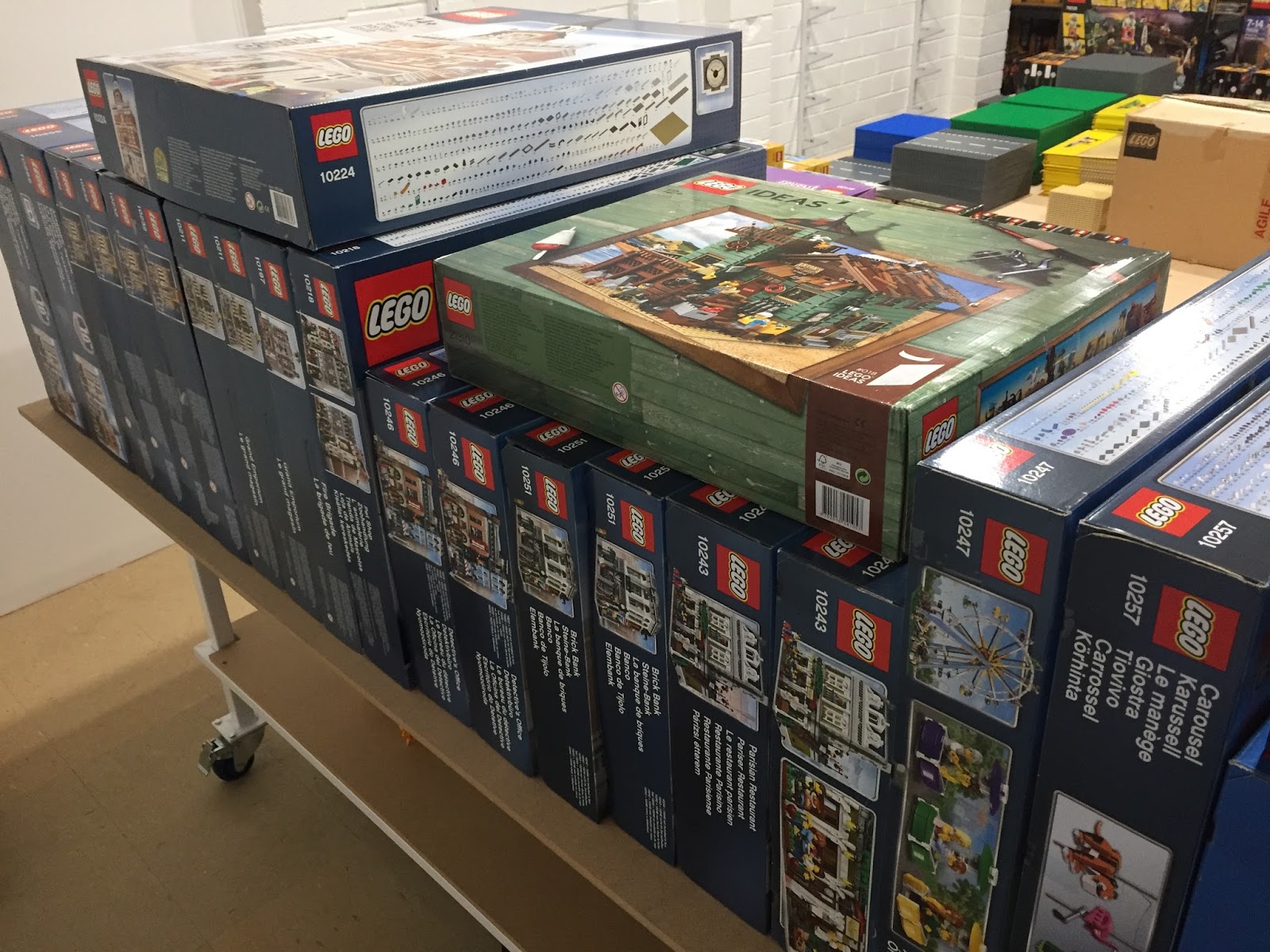
Creator Expert Modular Buildings, some are multiples for expanding options.

Smaller Creator 3in1 houses and buildings.

Super Heroes - No arguments from me, I love both DC & Marvel!

The centerpiece of the entertainment system is the 65 Inch Samsung KS8500 4K Curved TV. Normally I wouldn't go for a curved TV but I got this on a great sale at JB Hi Fi one day compared to its flat screen brother and for a while it was my main TV in the GEEK Room but have since swapped it out for an OLED. So into the LEGO Room it went. One of the reasons I considered this TV in the first place was a review on the RTINGS website. These guys do very in depth reviews of modern TVs and are a great resource for setting up and calibrating a new TV.


65 Inches of curved.

Straight on view looks sweet.

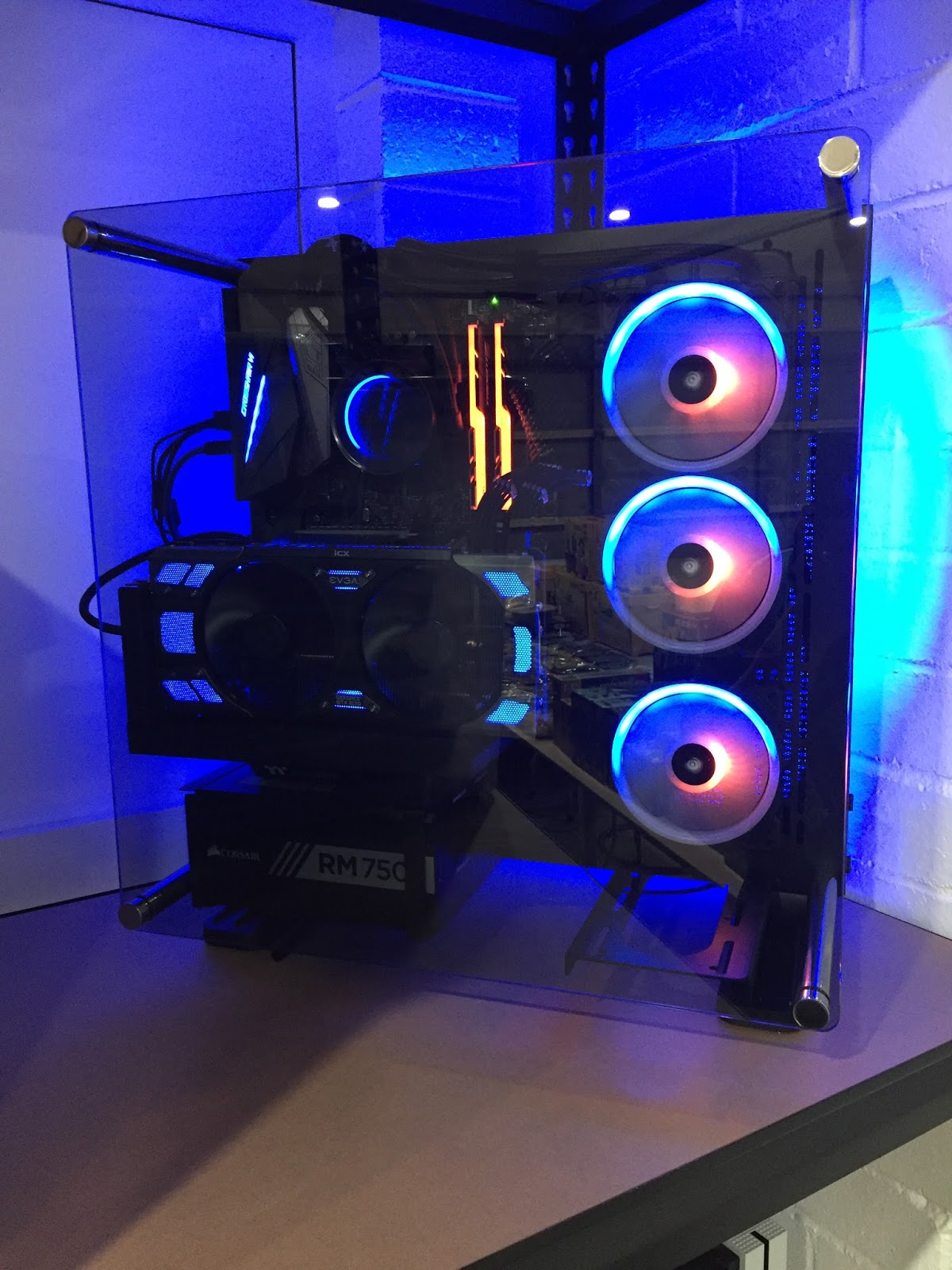
The other main star of the entertainment system is the new PC I built. It will be used for LEGO digital designing & BlueBrick, streaming YouTube & Netflix etc, sneaking in some games while sitting in the City and now video editing for my YouTube channel and this Blog. Originally I was going to wall mount it next to the TV but it just stuck out too far and I didn't trust my clumsy self enough to not smash my shoulder on it every time I walked past. It's now found it's place to the far right of one of the main shelves and when I finish rebuilding the UCS Death Star II (in the tub) they will sit side by side. One to destroy and one to create.

Sacrificing some LEGO real estate for the PC and Xbox.

My new Ryzen beast. I named it BenZen.

Blue and Orange lighting to match my Blog branding.

The fans have a swirly pattern that reminds me of the round things in the TARDIS.
I've always liked the round things. What are they? I don't know.

The tech specs if anyone is interested:
Case: Thermaltake Core P3 with Tempered Glass
CPU: AMD Ryzen 7 1700X overclocked to 4.0GHz on all 8 Cores, 16 threads
CPU Cooler: NZXT Kracken X52 240mm AIO Radiator Cooler
Motherboard: ASUS Crossahair 6 Hero - X370 Chipset
RAM: 16GB G. Skill Trident Z RGB overclocked to almost 3000MHz
Graphics: EVGA GTX 1070 FTW2 (nVidia)
Power Supply: Corsair RM750x Gold 750W
Primary Storage: Samsung 960 EVO 250GB M.2 SSD & Samsung 850 EVO 1TB SATA SSD
Secondary Storage: Seagate 2TB HDD
Custom black sleeved cables from CableMod
Windows 10 Pro & Adobe Photoshop/Premiere Elements 18

View from the middle of the City.

We ran 2x USB booster cables from the PC , up the wall, across the roof , down the opposite side behind the corner shelving unit and then to the middle of the tables where my keyboard and mouse await. We did it this way so that there were no crossing cables to trip on around the walkway. I use a Corsair Lapdog on my lap when I'm gaming on the couch in the GEEK Lounge so I grabbed another one on Black Friday for the LEGO Room. Any table room taken up by a keyboard means less space for LEGO and we can't have that. Throw in a couple of Star Wars bar stools I got for Christmas and we are all set.

Corsair K70 Rapid Fire mechanical keyboard with Cherry MX silver linear speed switches.

Corsair M65 Pro mouse with handy slow DPI button in easy thumbs reach.

Keyboard and mouse housed nicely in the Corsair Lapdog.

I added an Xbox One S primarily for watching Blu-Ray. I'm going to build a custom LEGO shroud around it to make it blend in with the LEGO models. Will need to include plenty of exhaust with these things of course.

Xbox One S - 500GB - White.

As I mentioned earlier I was still finishing up the LED strips and in the previous post I described my initial trouble with them not sticking. Happy to say after my solution they are now holding strong and showing no signs of letting go. I finished up the last 2 tables and am very pleased with the result. I can turn them on/off independently from the roof lights.

The LED strips will do justice for the models that will eventually be under the table.

This one reminds me of the old Nokia phone game Snake.

Underneath the tables I left enough space to either build or buy some form of storage. After looking through Bunnings at various drawer systems and tubs I found one particular 40 liter tub made by Ezy Storage that could be accessorized with trays and containers that hook onto a purpose lip under the lids. Taking one home to test I found it fit under the bottom shelf with barely a milometer to spare. Perfect. Around the entire table and including the middle standing area I could fit 36 tubs without double parking them. Back to Bunnings and I cleaned them out of everything they had in that size, which was only 16 tubs, and a bunch of accessories  I'll definitely grab more ASAP because I'd hate for them to swap styles in the meantime. I'll use them for parts storage once I start sorting it all again. I've already used some for my instruction books, train track and spare baseplates.

Like they were made to fit under there.

Great for storing my spare LEGO parts. Notice the hanging mini tub accessory inside.

A few less interesting yet important things of note are the 1080p security camera which works great in low light as well. We have 8 of these around the property... just in case.

Benny is watching!

Also a split system air conditioner to keep my collection cool in the Aussie summer... and me too I guess. I tried it out recently on a 40oC day and it managed to completely cool the room to a comfortable level in less than 15 minutes. I have a few ideas for the wall below the air con.

It's cool and quiet when I want it to be.

So that's about it for the LEGO Room initial setup for now. There will be minor updates when I add or change things around. If you haven't already please watch the accompanying video I made (my first) which goes in depth with a few plans and ideas and shows the room after I tidied everything up a bit more.

Leaving the room with the roof lights turned off. Looks nice.


Thankyou for following. Cya next time.